Agency & Process, SEO
How AI Search Changes SEO for Business Websites
May 25, 2026

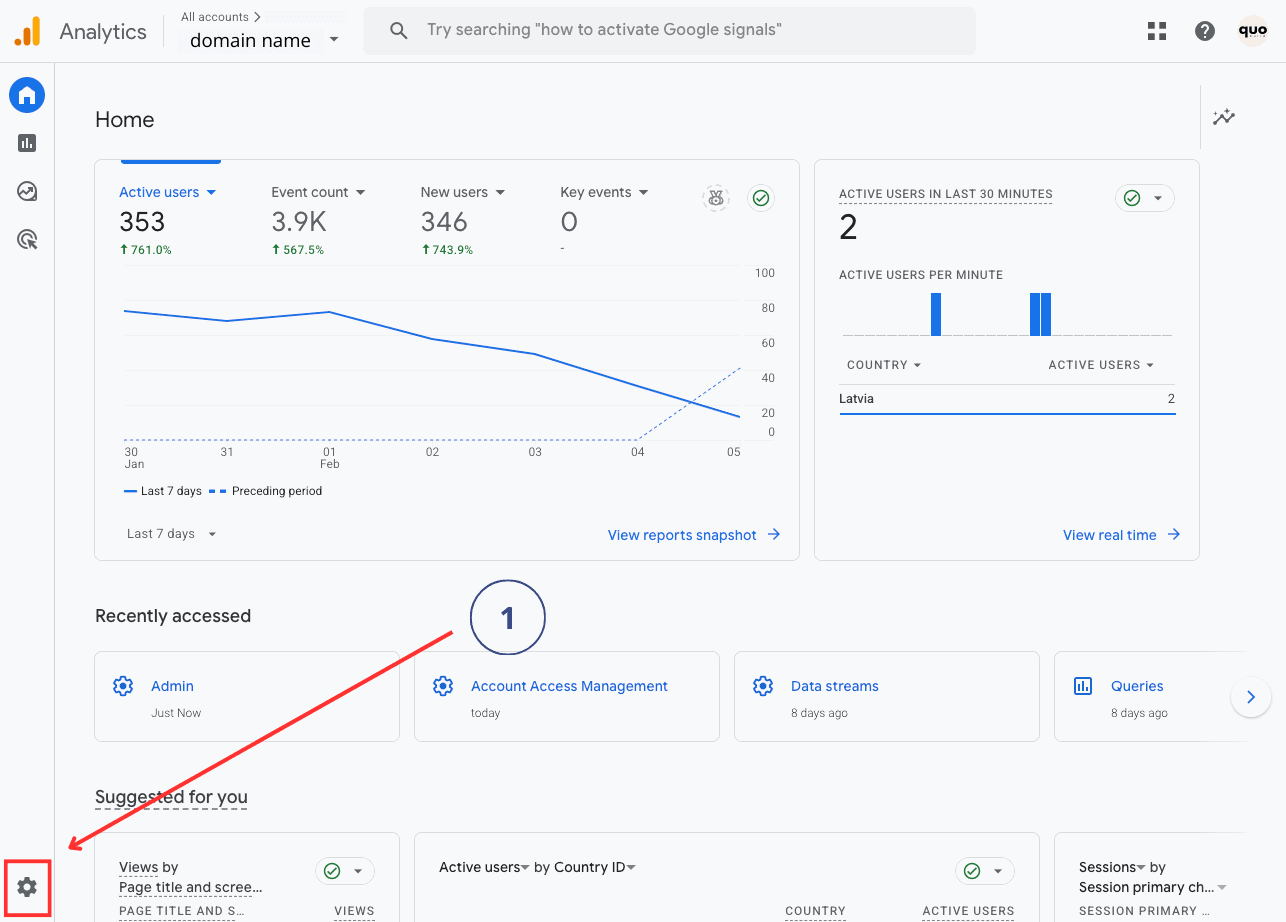
Before we start head to your google analytics account https://analytics.google.com/.
Adding a user to Google Analytics is essential for seamless collaboration and effective data sharing. Whether you’re managing a team or working with external partners, granting access ensures everyone has the insights they need. This quick guide will walk you through the steps to add and manage users in your Google Analytics account.
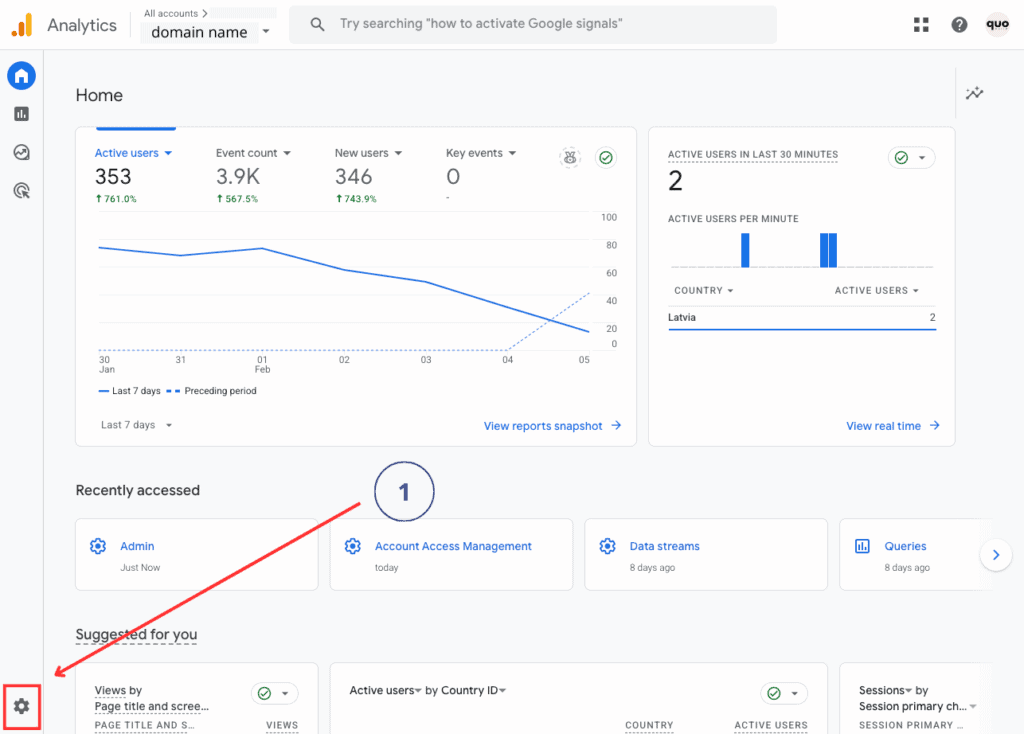
1. Click on “Settings” icon on bottom of page
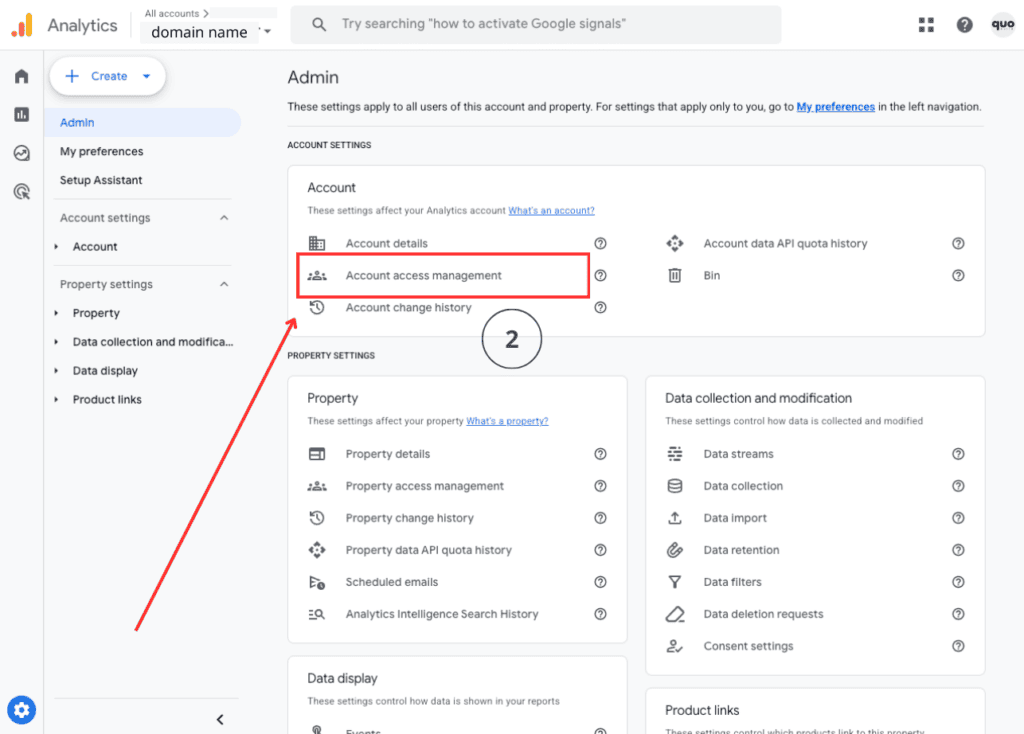
2. Account access management
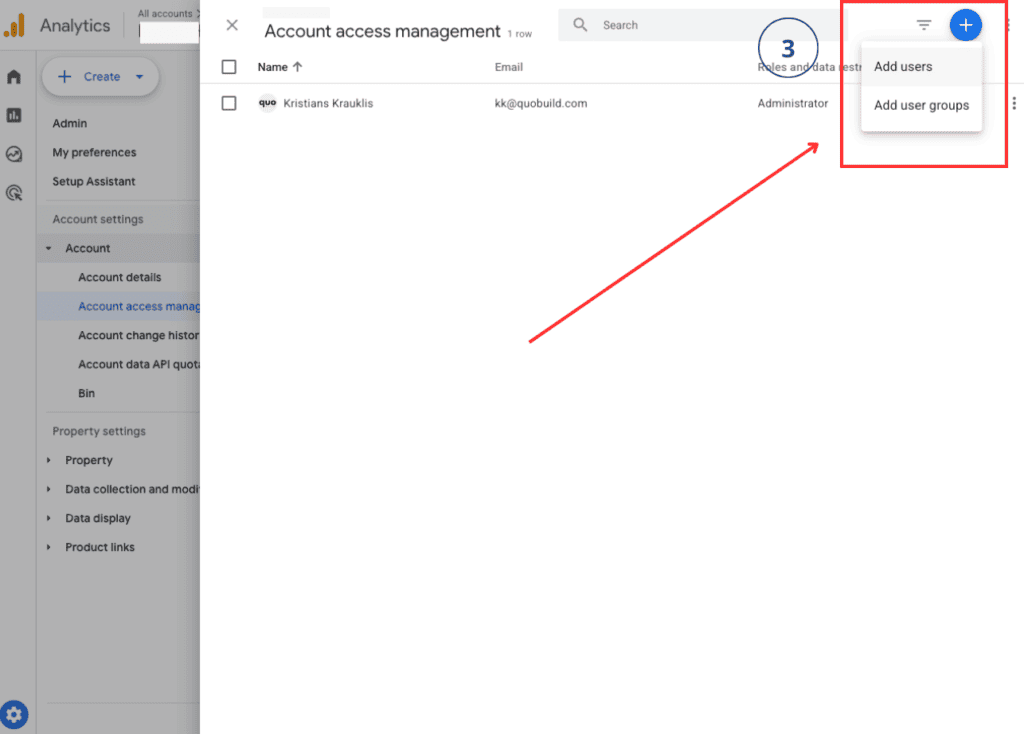
3. Click on “+” icon and then “Add users”
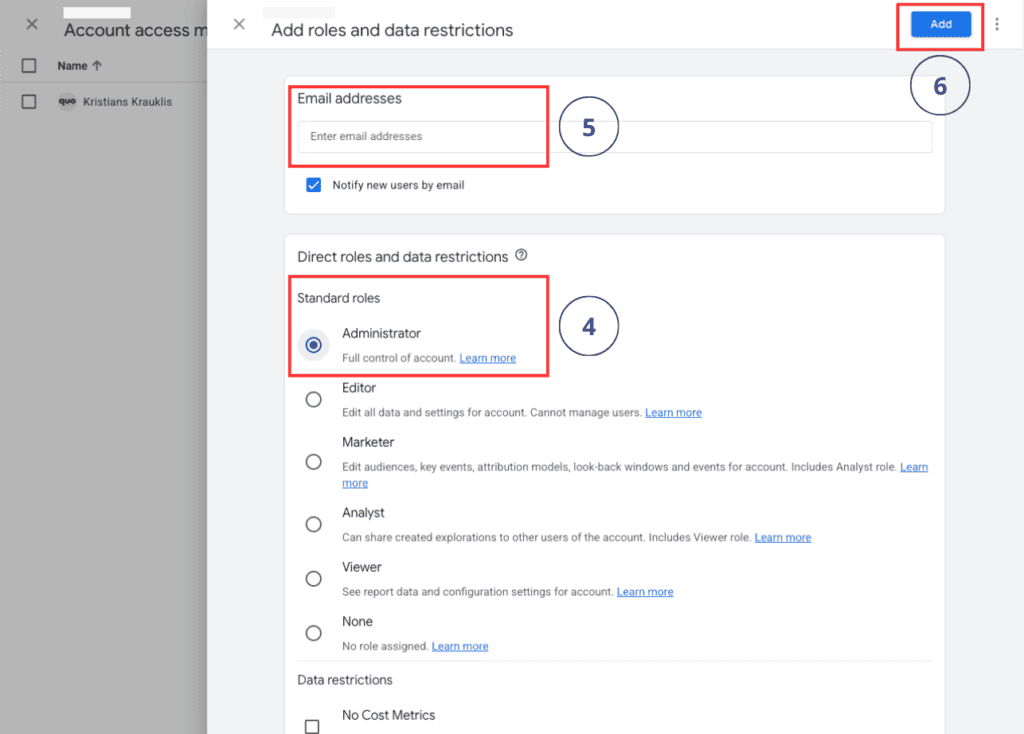
4. Select the permissions to “Administrator” or other permission level based on needs.
5. Enter partners email address.
6. Click “Add”.
That’s it.
You’ve successfully added a user to Google Analytics. If you need help managing your analytics, marketing strategies, or building new website or online store, then quo build is here to support you. Our team specializes in crafting tailored solutions to grow your business. Let’s build something great together!
Good luck!


